Debugging allows you to understand what's happening in a workflow, identify the problem step, and check the data passed between different blocks.
There are two main situations:
- debugging during workflow setup;
- debugging an already published workflow.
¶ 1. Debug during workflow setup
While creating or modifying a workflow, it is recommended to test the steps gradually.
¶ Test the trigger first
Start by configuring the workflow trigger block, for example:
- manual triggering;
- receiving a webhook;
- submitting a form;
- a planned execution.
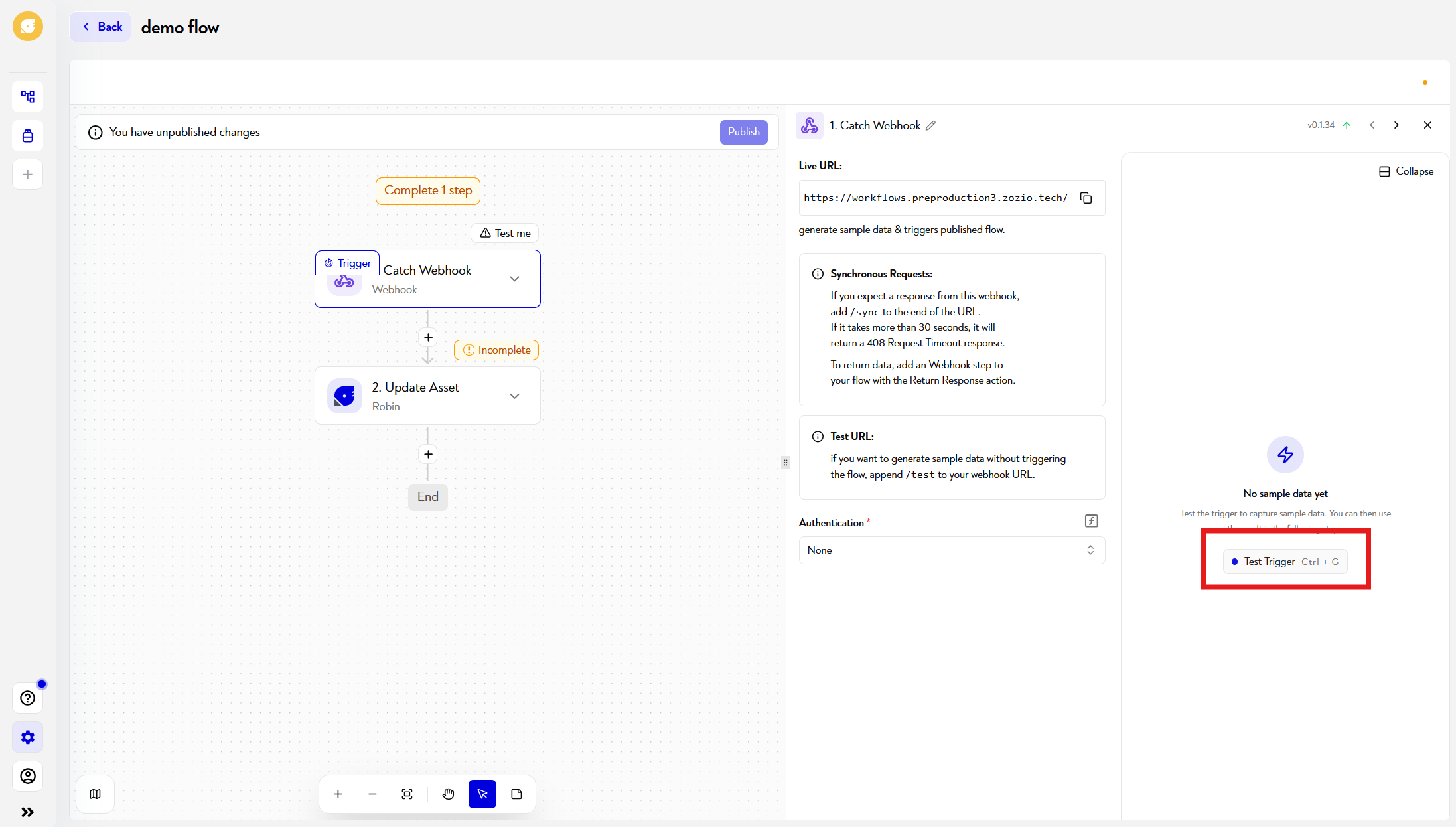
Uses the test trigger button to retrieve sample data.
For some triggers, you will have to actually cause the expected event. For example, to test a webhook, send a request to the URL provided by Robin.
Once the test is complete, Robin displays the data produced by the trigger. This data can be used in subsequent steps of the workflow.
¶ Test the blocks step by step
After testing the trigger, configure and then test each block in workflow order.
For each new block:
- configures its settings;
- selects data from previous steps;
- launches its test;
- checks its result before moving on to the next block.
This method allows you to immediately identify the step causing a problem.
A block can generally only be tested correctly if previous blocks already have test data.
¶ Inspect the entry and exit of a block
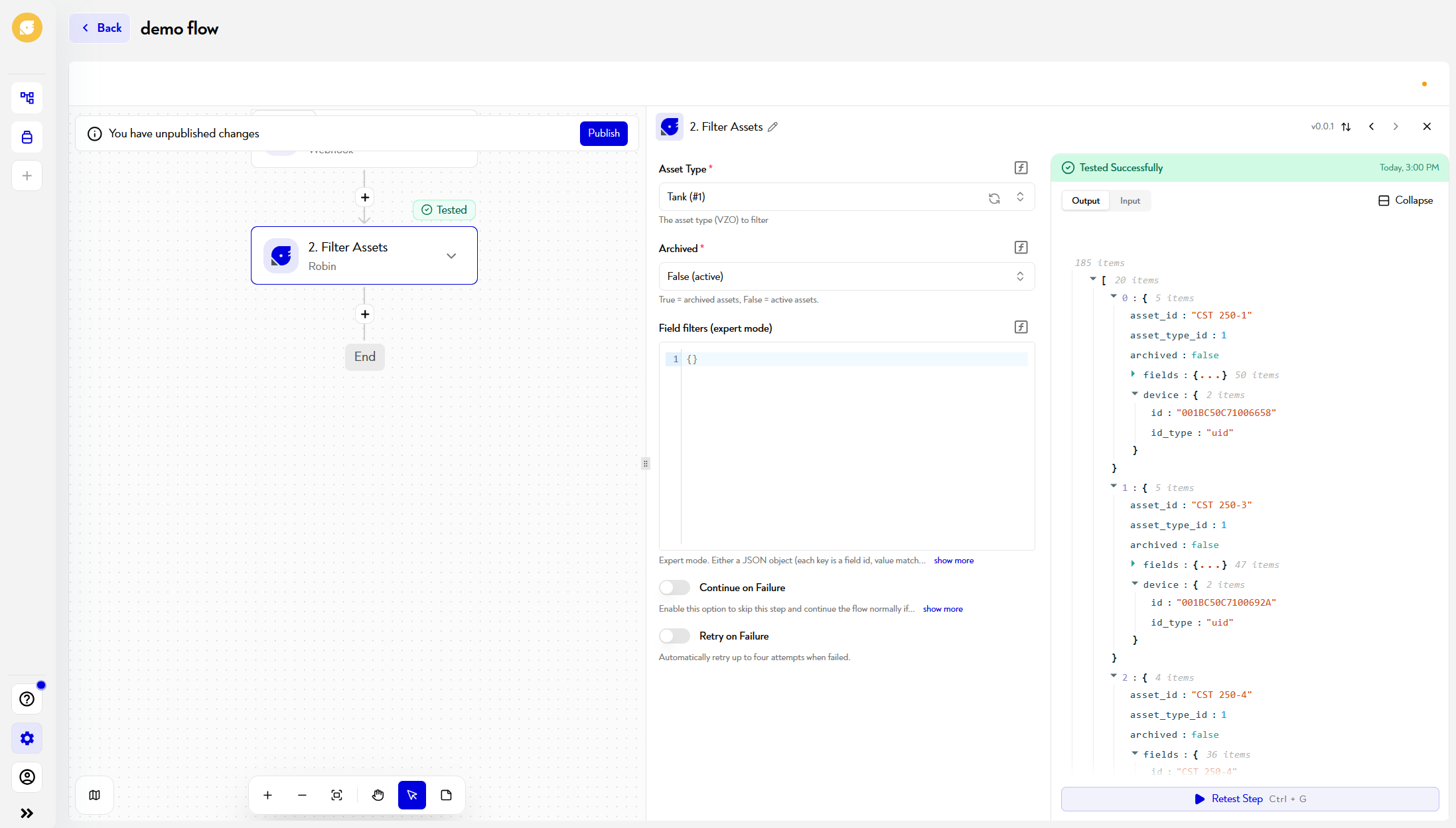
After testing a block, examines the data displayed in its result.
Check in particular:
- the data received by the block;
- the parameters calculated from the previous steps;
- the output produced;
- any error messages;
- the identifiers, dates, statuses or values used in the following steps.
Data flows from the top to the bottom of the workflow. Each block can use the outputs produced by previous blocks.
For example, if a search block returns no elements, subsequent blocks may receive an empty list or a nonexistent value.
¶ Check data used in dynamic fields
When a field uses data from a previous step, check that:
- the correct source block is selected;
- the correct field is used;
- the value actually exists in the test data;
- the data type is correct;
- the value corresponds to the format expected by the block.
Examples of common problems:
- using an identifier instead of a name;
- using text instead of a list;
- date provided in incorrect format;
- field missing in some events;
- empty list;
- Invalid connection or authorization.
¶ Test the different branches
If your workflow has a router, condition, or multiple branches, test each case separately.
Prepares data to verify:
- the case where the condition is true;
- the case where the condition is false;
- each possible value of a router;
- the behavior when data is absent;
- the behavior when no element is found.
Just because one branch works does not guarantee that the others will work as well.
¶ Beware of unpublished changes
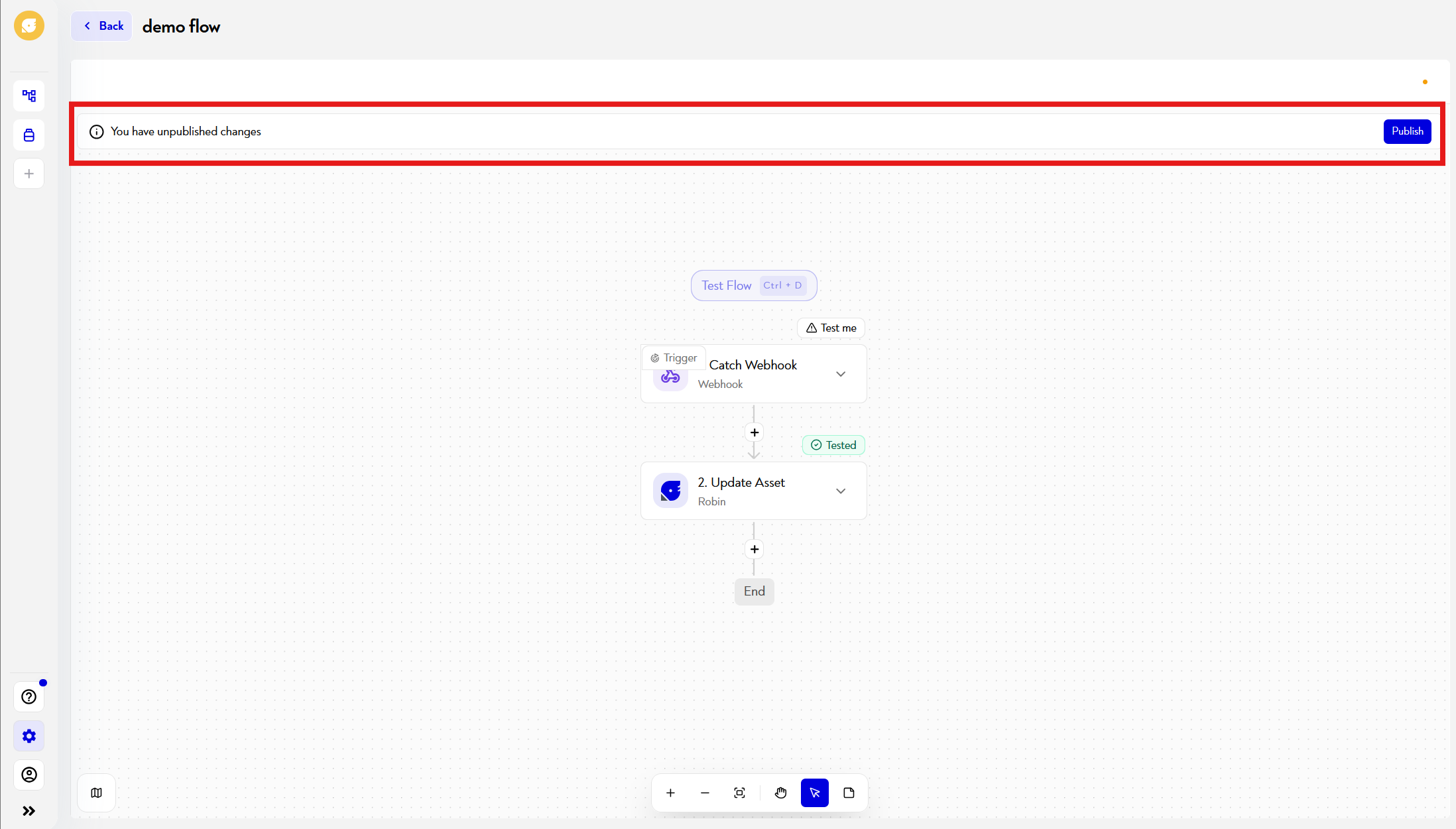
Changes made in the editor remain in a draft version until you publish them.
The automatically executed workflow continues to use the latest published version. To make your changes active, remember to publish the new version.
¶ 2. Debug a published workflow
Once the workflow is published, debugging is done from the execution history.
¶ View executions
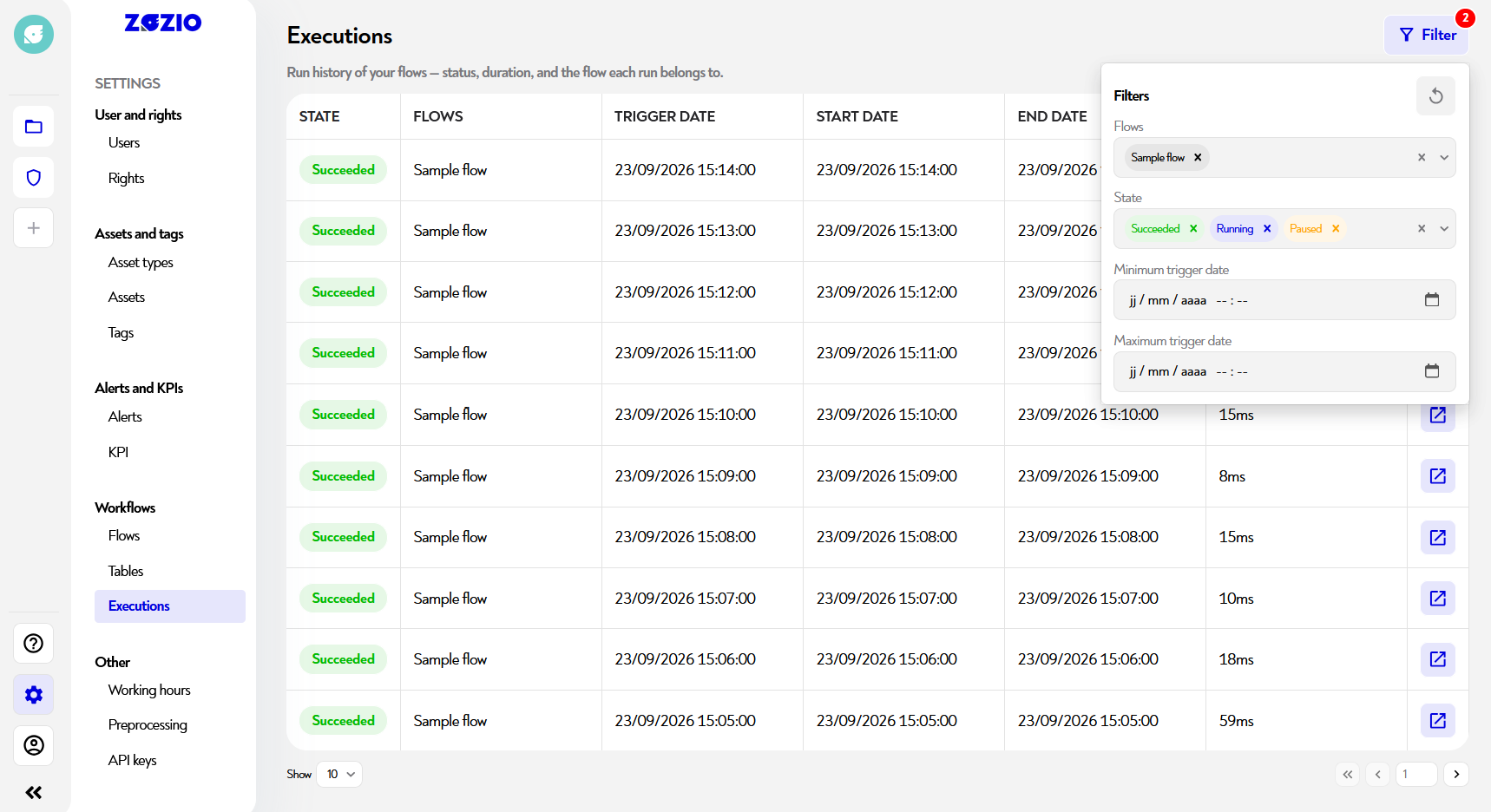
In Robin, you can access executions in two ways:
- from the workflow table : the date and status of the latest execution of each workflow are displayed there. Click this latest execution to open the Executions page, already filtered for that workflow;
- from the Executions menu : there you can find the history of all executions and filter it by column (status, workflow, date, etc.) to quickly find the execution you need.
These features require version 2026.6 or later.
Check the status of the relevant execution. This lets you verify whether the workflow actually triggered, at what time, and whether it completed successfully.
¶ Open execution details
Click the button at the far right of the execution row. The workflow editor then opens on that execution: you can inspect the result of each step, along with the data received and produced by each block.
This feature requires version 2026.6 or later.
¶ Compare a successful execution and an error execution
If the workflow was working before, compares an old successful execution with the error execution. The filters on the Executions page make it easy to find Succeeded and Failed executions from the same workflow.
In particular, look for a difference in:
- the data received by the trigger;
- the presence or absence of a field;
- the format of a value;
- the connection used;
- the branch followed;
- the response from an external application.
This comparison often helps determine whether the problem is with the workflow itself or with the data being processed.
¶ Correct then republish
After identifying the problem:
- returns to the workflow editor;
- fixes the configuration;
- retests the relevant steps;
- publishes the new version;
- causes a new execution;
- checks its result in the execution history.
Changes made in a draft are not taken into account until you publish the new version.
¶ Best practices
When developing a workflow:
- tests the blocks in their order of execution;
- systematically checks the output of each block;
- tests the different branches and conditions;
- uses data representative of real cases;
- checks cases where data or a list is empty;
- always republishes after a correction;
- controls actual execution after publishing.
The main rule is simple:
During configuration, test each block and inspect its output. Once the workflow is published, review the executions to see which steps were completed and quickly identify which one is having an issue.
This page does not seem clear to you or do you need help? Do not hesitate to contact us at support@zozio.tech !