¶ Executions
The page Executions centralizes the history of all workflow executions in a single interface. For each execution, you can consult its status (Succeeded, Failed or Queued when it is pending), the relevant workflow, the trigger date and time, and the execution duration.
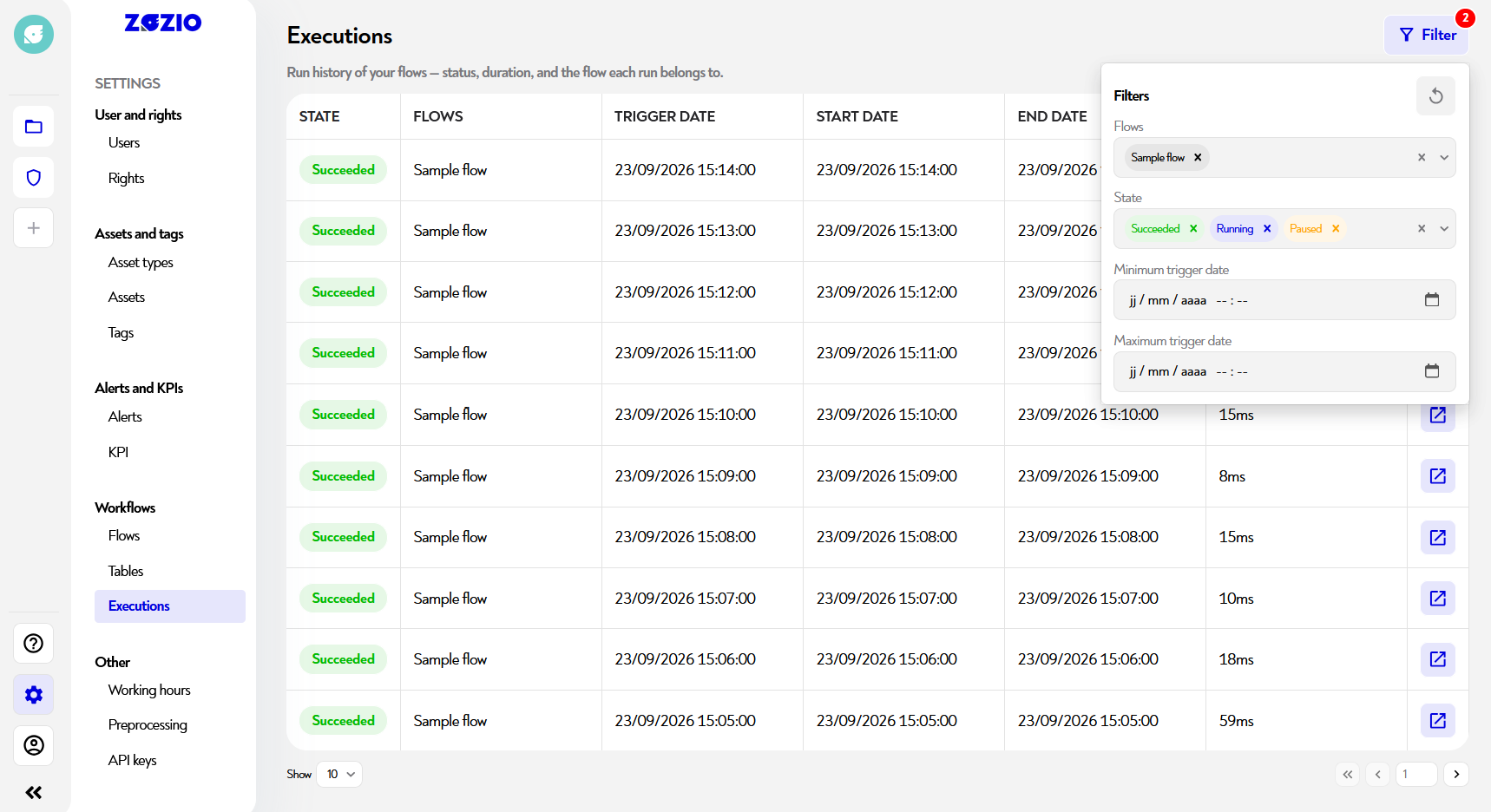
¶ Filter executions
This feature requires version 2026.6 or later.
Each column now has filters. Use them to quickly find the executions you are interested in, for example all executions with status Failed in a given workflow.
¶ Find a workflow's executions
This feature requires version 2026.6 or later.
The workflow table displays the date and the status of the latest execution for each workflow, allowing you to spot a failed workflow at a glance. Click this latest execution to open the Executions page, already filtered for that workflow. You can then view the execution of your choice.
¶ View execution details
This feature requires version 2026.6 or later.
Click the button at the far right of the row. The workflow editor then opens on the relevant execution, allowing you to inspect the result of each step. View the page Simply fix a workflow to find out more.
¶ Other useful information
This page does not seem clear to you or do you need help? Do not hesitate to contact us at support@zozio.tech !