¶ title: Example: Changing the priority level of an asset after a condition change
description: Here is an example workflow. You can find all the steps of creating the flow.
published: true
date: 2026-07-16T12:40:49.332Z
tags:
editor: markdown
dateCreated: 2026-06-30T12:46:57.908Z
Here's a real-world example of a Robin workflow. It illustrates how to automate the updating of a priority level on a WO based on business conditions, without any manual action.
¶ Purpose of this example flow
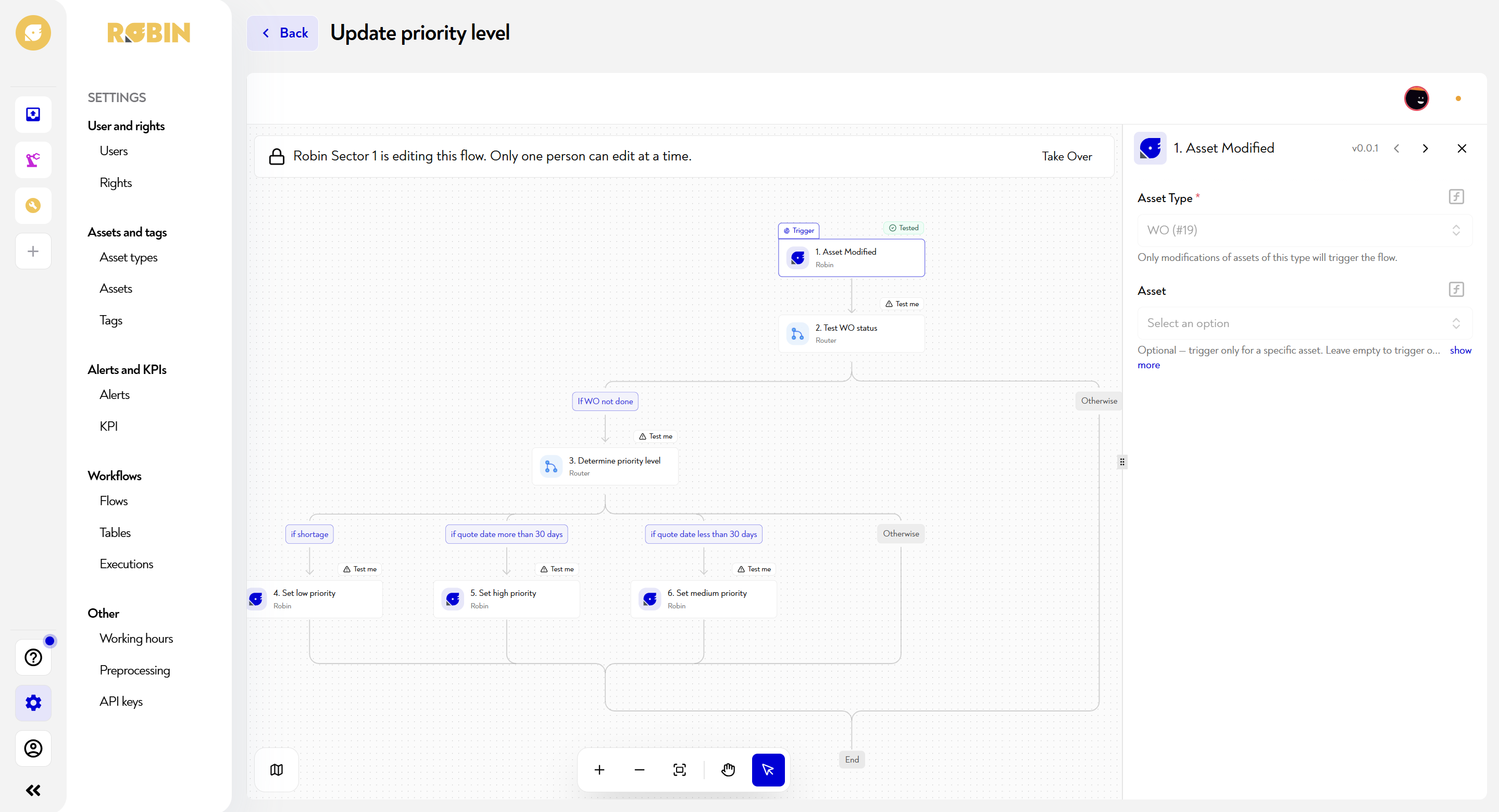
This flow is triggered as soon as a WO is modified in Robin. It first checks if the WO is still in progress, then evaluates several conditions on the quote date to automatically assign the right priority level: low, medium or high.
¶ Step-by-step flow configuration
¶ 1. Asset Modified — Robin
Trigger listens for all changes on asset type WO (#19). The field Asset is left blank to apply to all WOs, regardless of the asset concerned — the flow will trigger each time an operator or system modifies a WO of this type.
Configured parameters:
- Asset Type :
WO (#19)— only changes to this asset type trigger the flow. - Asset : empty — the flow applies to all WOs without exception.
💡 If you want to restrict the flow to a specific WO (for example to test), you can enter a specific asset in the field Asset — remember to empty it before going into production.
¶ 2. Test WO status — Router
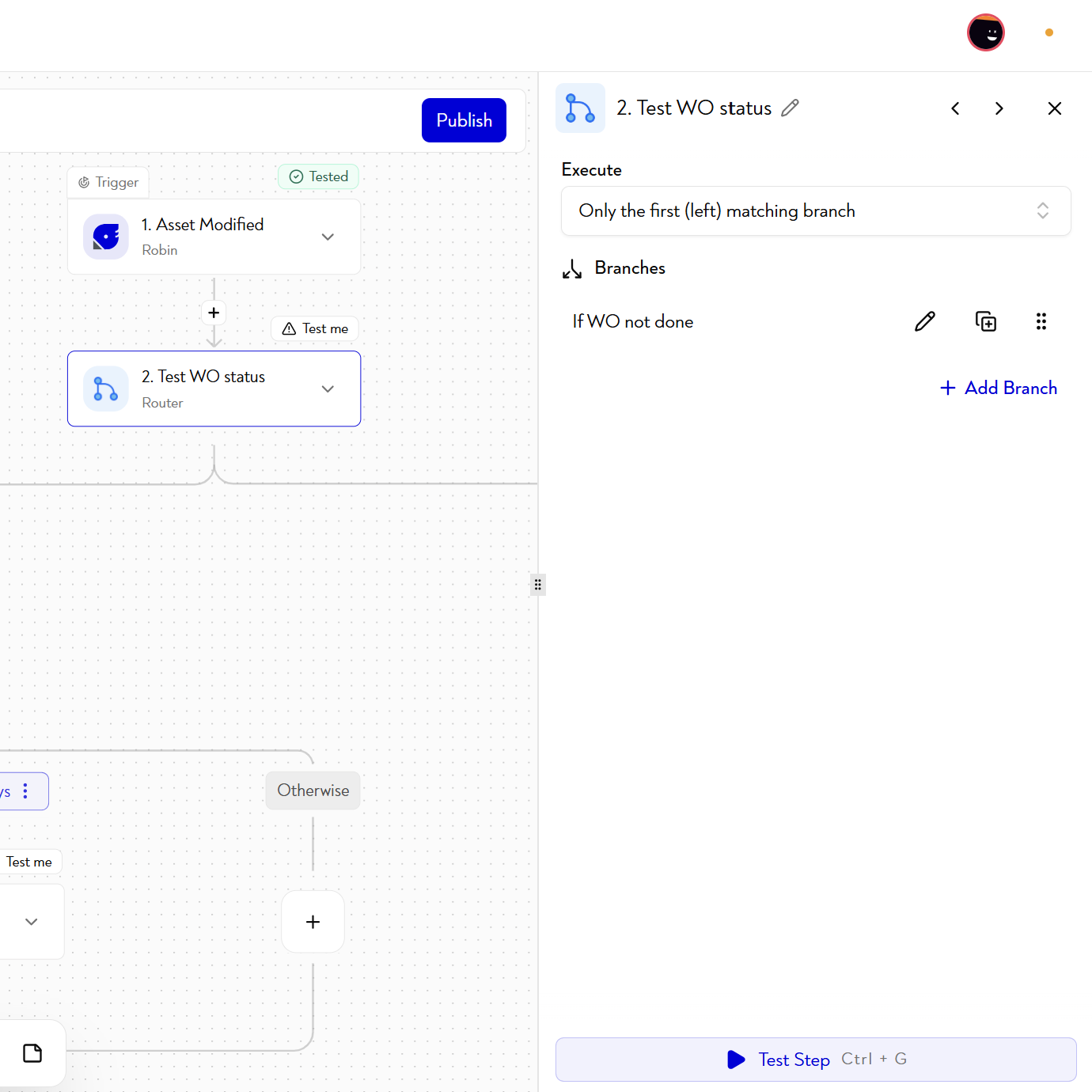
A router checks the status of the WO before going any further. This step is essential: it avoids recalculating and overwriting the priority of a WO already completed, which could distort the monitoring indicators.
The router evaluates a condition on the status field of the WO and directs towards two paths:
- If WO not done : The status of the WO indicates that it is still in progress — the flow continues towards the priority evaluation in step 3.
- Otherwise : the WO is in a terminal status (completed, closed, canceled, etc.) — the flow stops immediately without any modification to the asset.
¶ 3. Determine priority level — Router
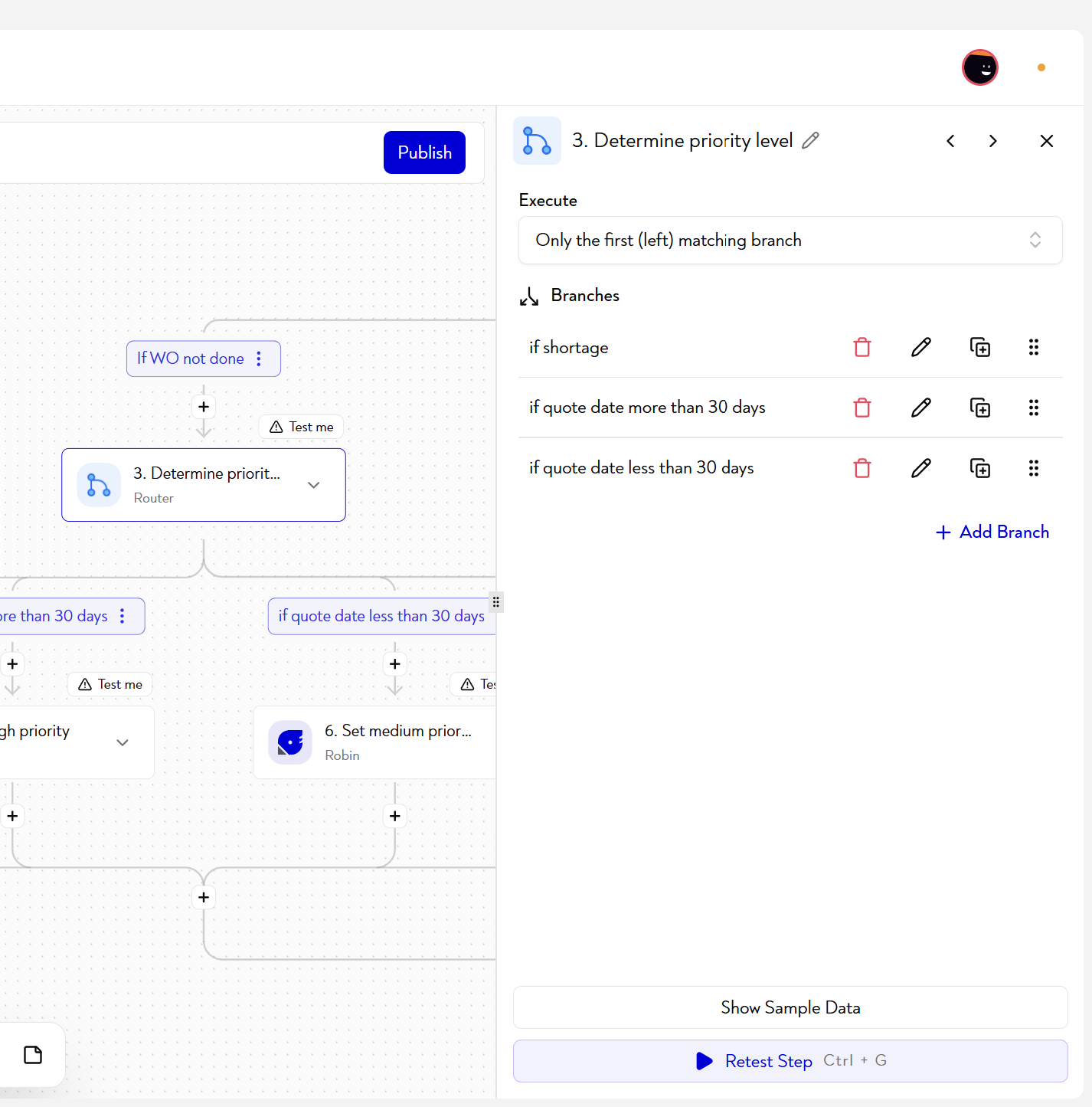
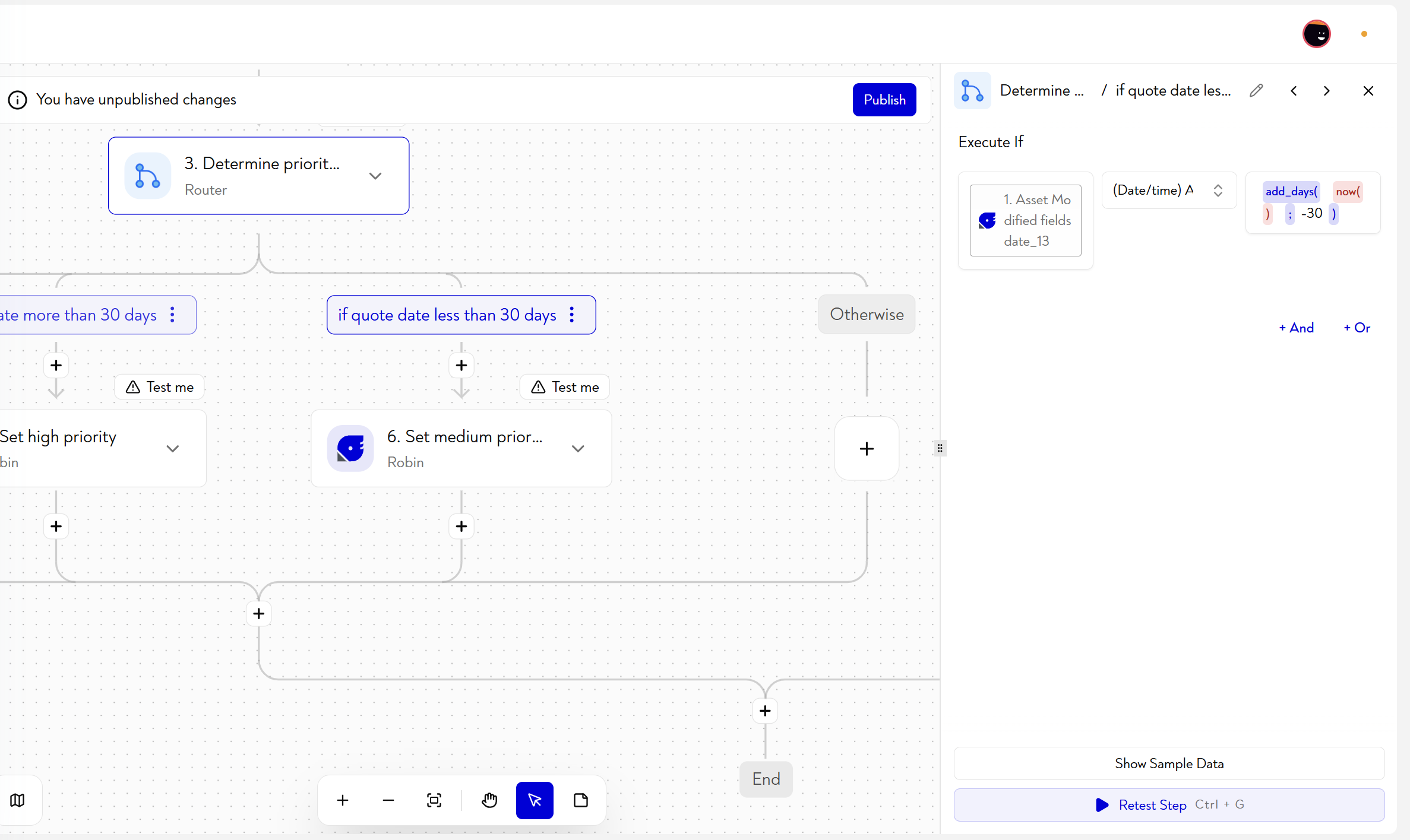
A second router evaluates the WO's quote date and directs the flow to the correct priority level. Conditions are evaluated in order — the first true condition is applied, subsequent conditions are ignored.
The order of the branches is therefore important: If shortage is evaluated first, which means that a back-ordered WO will always be classified as low priority, regardless of its quote date.
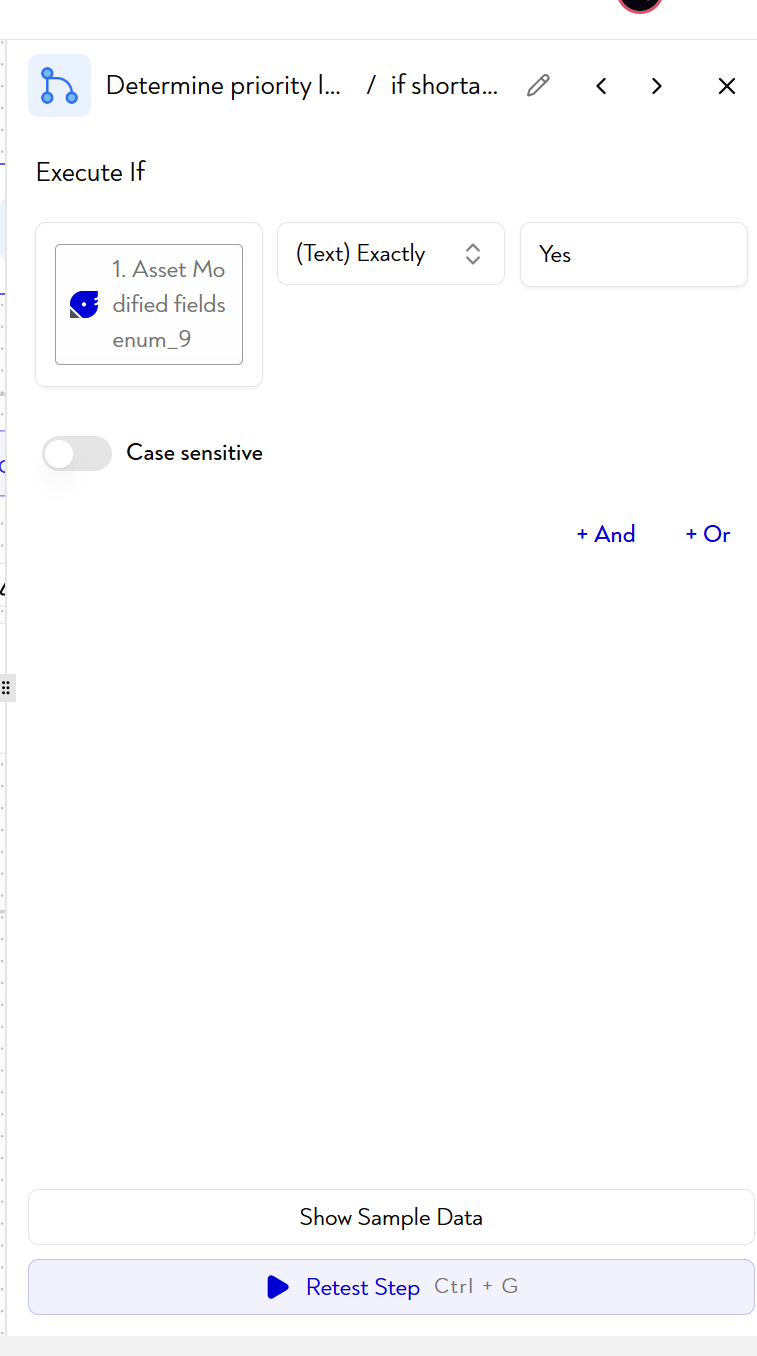
- If shortage : the rupture field of the WO is true — the WO is in a situation of lack of material or blockage. It is oriented towards stage 4 (low priority).
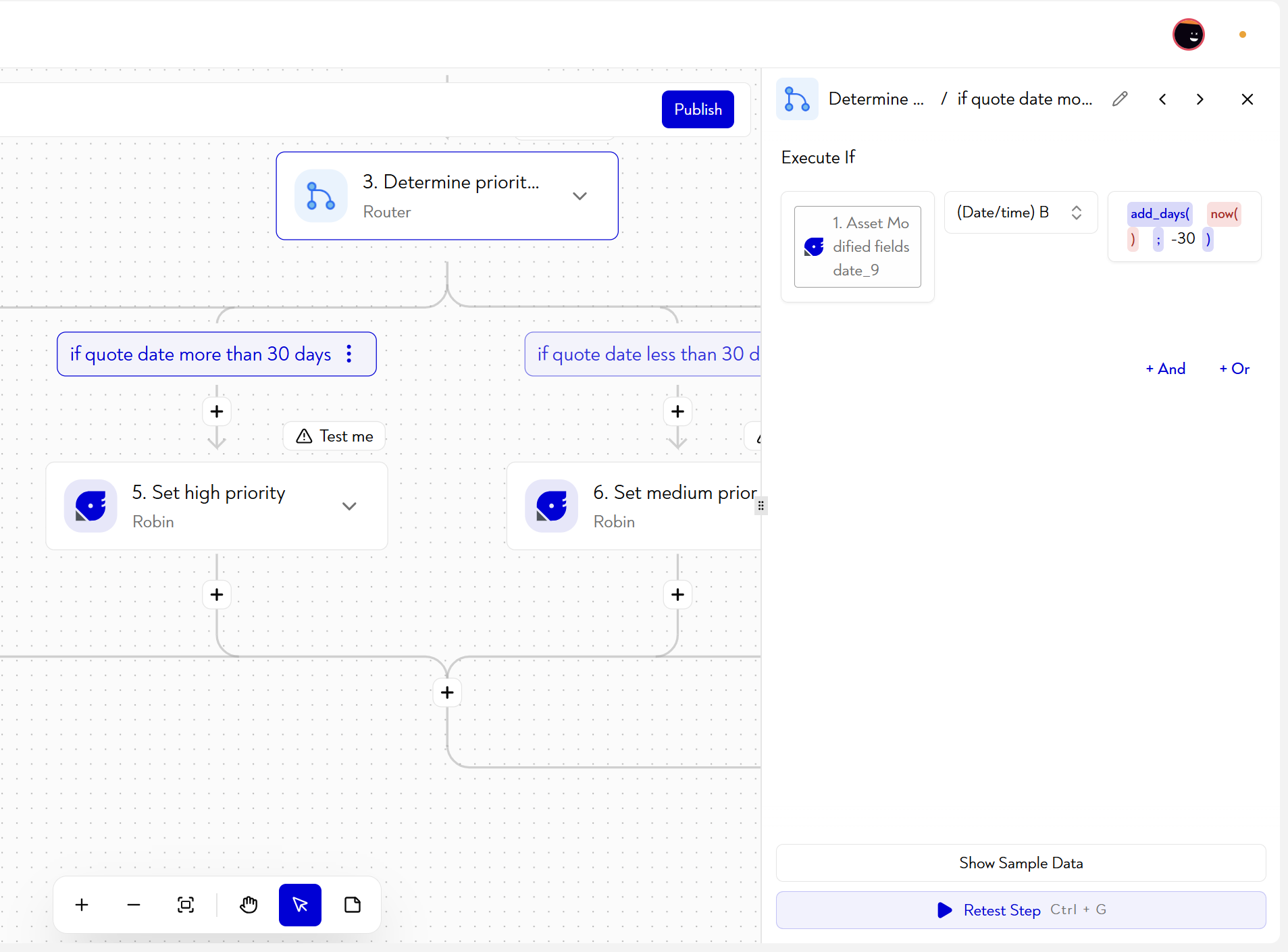
- If quote date more than 30 days : WO quote date is more than 30 days from today — WO is not immediately urgent. It is geared towards step 5 (high priority). For this we can compare the quote date with
add_days(now();-30), which is the date 30 days ago. Look at the list of data manipulations to easily find this type of very useful function. - If quote date less than 30 days : the quote date is less than 30 days away — the WO is approaching its deadline. It is oriented towards step 6 (medium priority).
- Otherwise : none of the previous conditions correspond (quotation date missing, field not filled in, etc.) — the flow ends without any update of the WO.
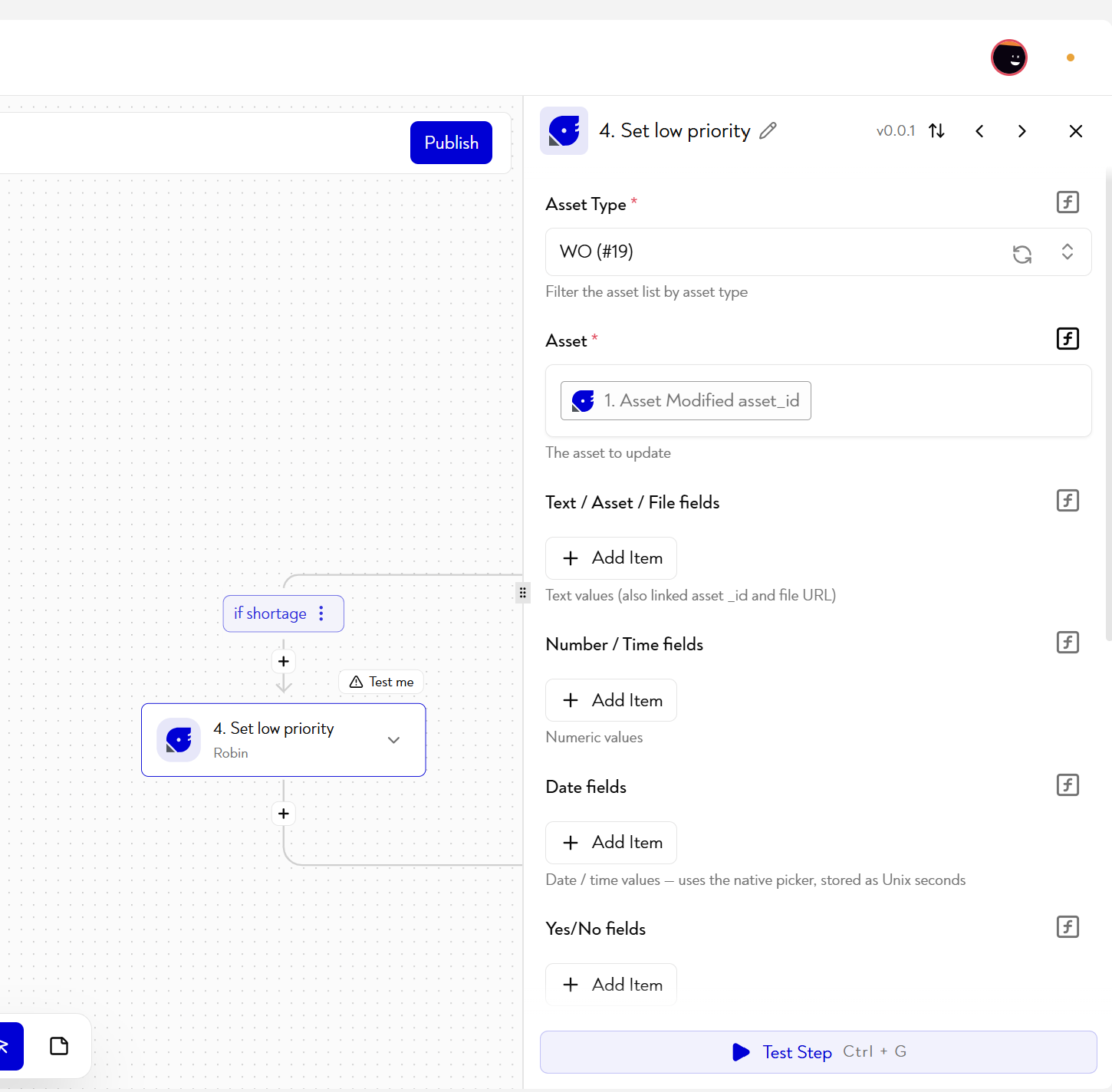
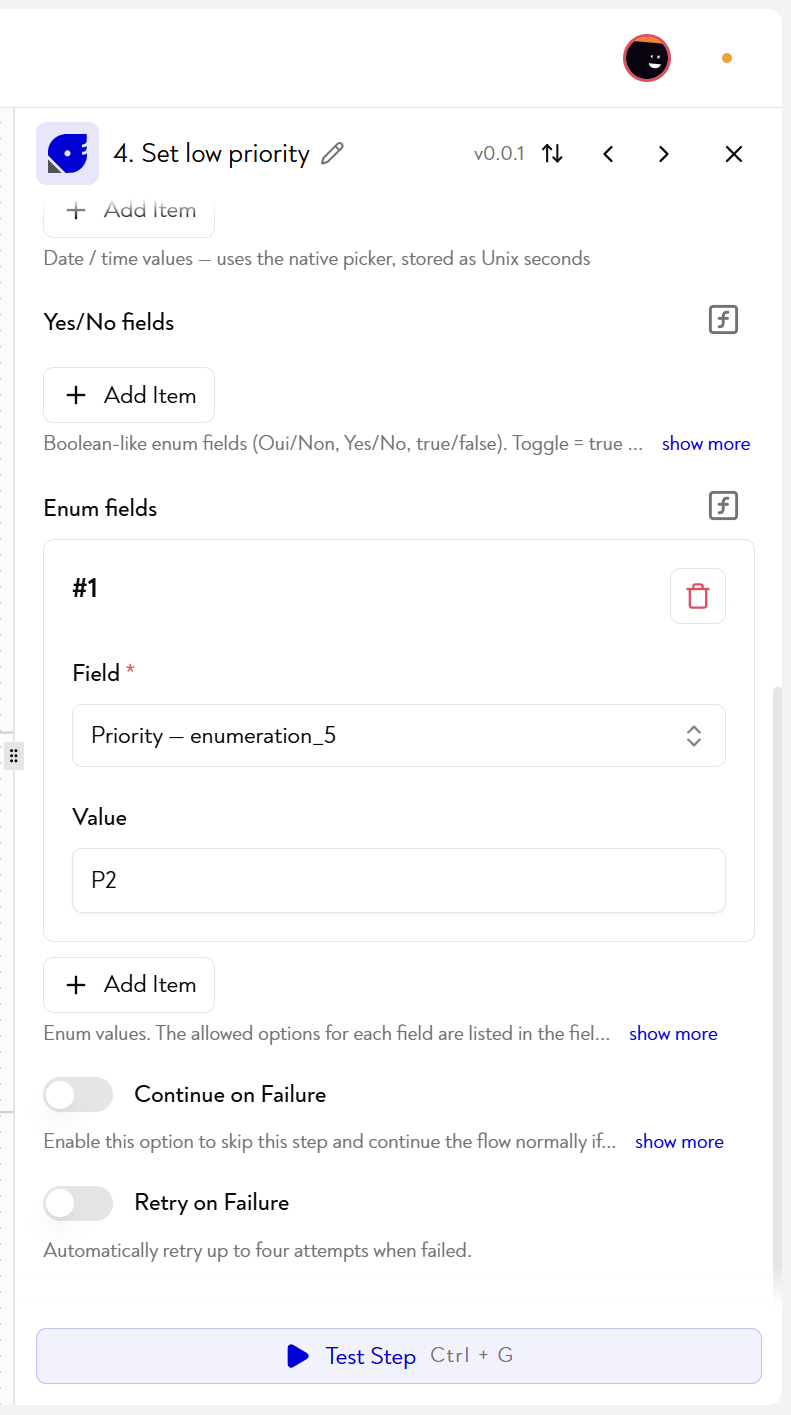
¶ 4. Set low priority — Robin
Action Update Asset : the field Priority — enumeration_3 of the WO is updated with the value Weak.
This branch is reached only if the WO is in a rupture situation (shortage), regardless of its quote date. A broken WO cannot be processed — assigning it a low priority allows it to be visually distinguished in Robin views and prevents it from artificially moving up in the planning queues.
Configured parameters:
- Asset Type :
WO (#19) - Asset : mapped dynamically from the trigger —
1. Asset Modified asset id - Enum fields #1 : field
Priority — enumeration_3, valueWeak
¶ 5. Set high priority — Robin
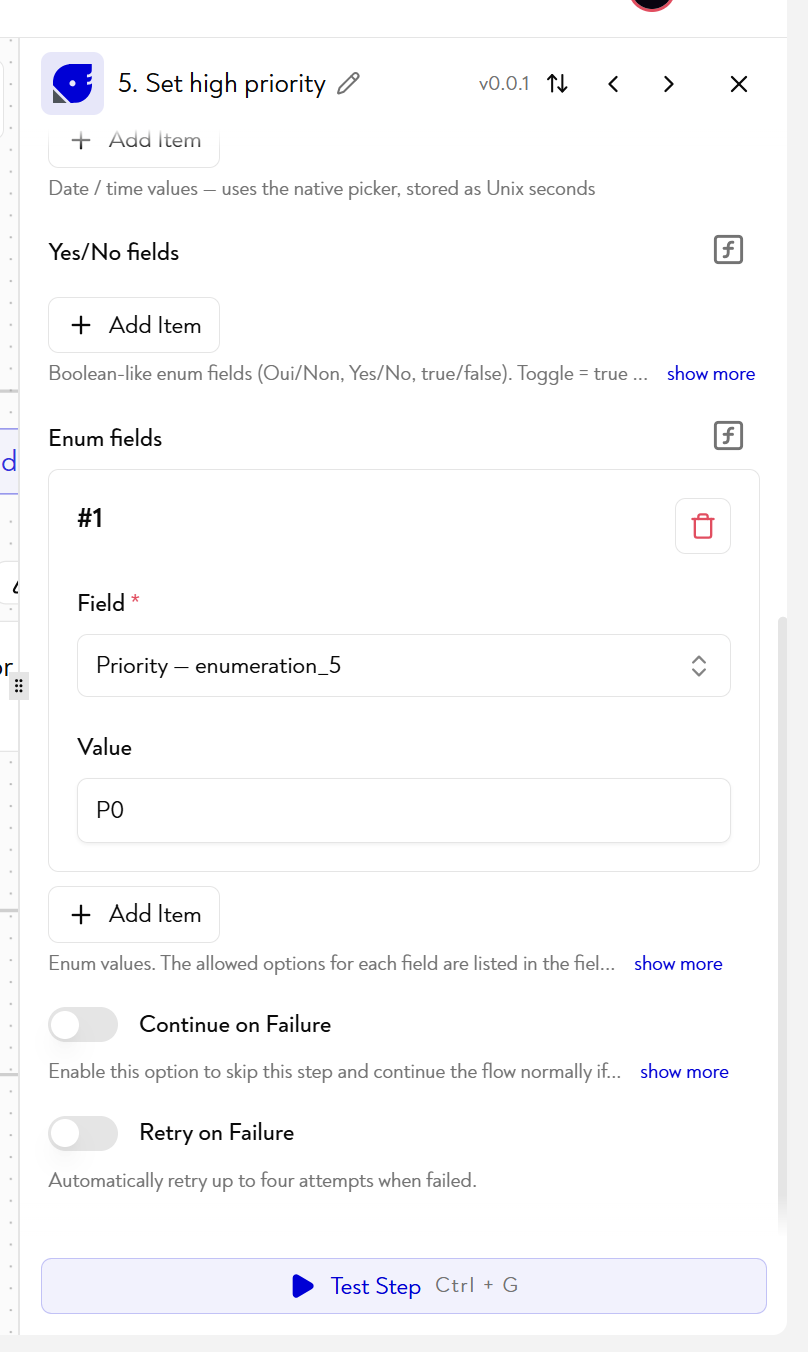
Action Update Asset : the field Priority — enumeration_3 of the WO is updated with the value High.
This branch is reached when the quote date is more than 30 days away and the WO is not out of stock. Even if the deadline is far away, a high priority is applied to signal that this WO must be planned and monitored — this is typically a strategic or long manufacturing cycle WO.
Configured parameters:
- Asset Type :
WO (#19) - Asset : mapped dynamically from the trigger —
1. Asset Modified asset id - Enum fields #1 : field
Priority — enumeration_3, valueHigh
¶ 6. Set medium priority — Robin
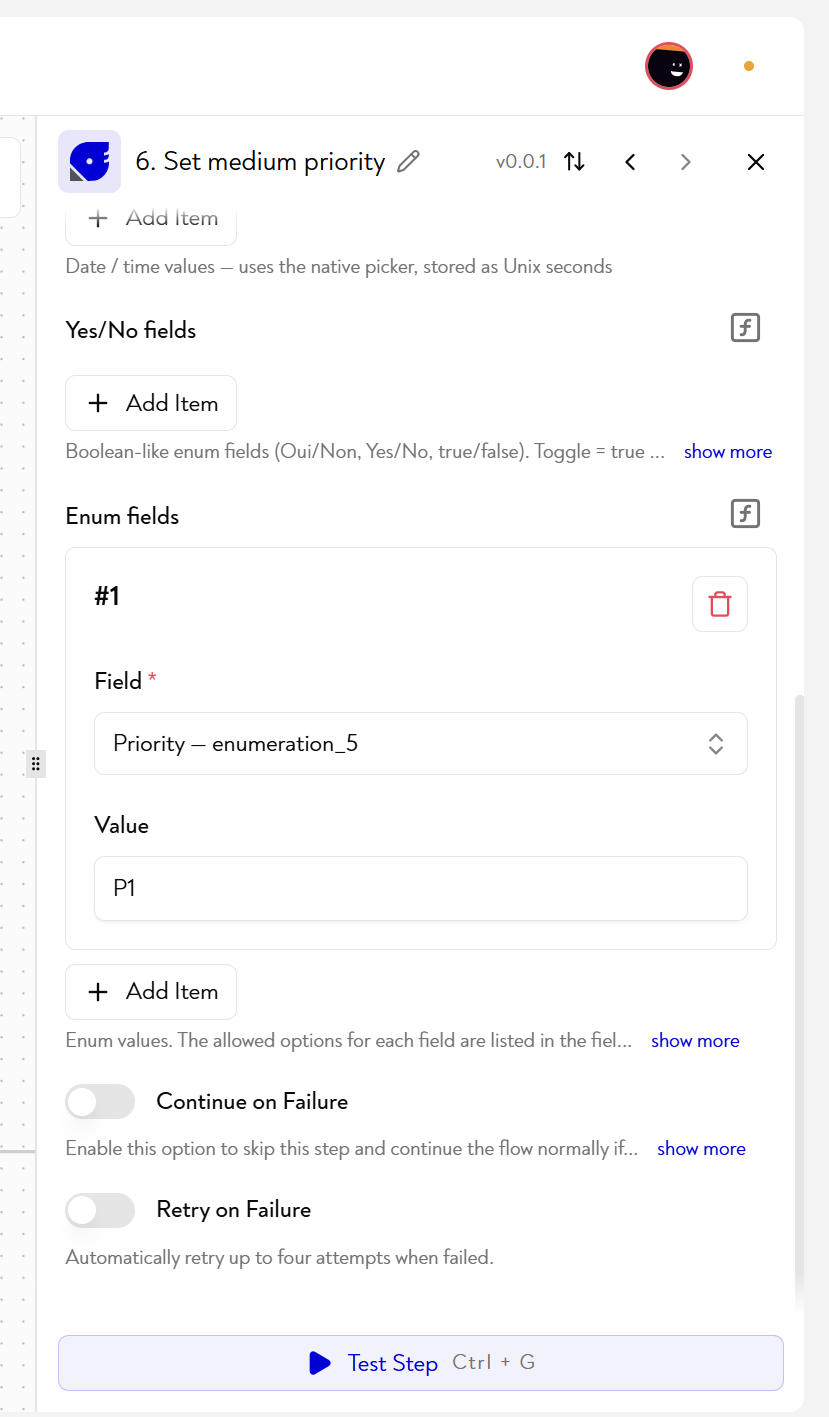
Action Update Asset : the field Priority — enumeration_3 of the WO is updated with the value Average.
This branch is reached when the quote date is less than 30 days away and the WO is not out of stock. The WO is close to its deadline — a medium priority signals that it requires special attention in the coming days without blocking the planning of other orders.
Configured parameters:
- Asset Type :
WO (#19) - Asset : mapped dynamically from the trigger —
1. Asset Modified asset id - Enum fields #1 : field
Priority — enumeration_3, valueAverage
¶ Result
Each time a WO is modified in Robin, its priority level is recalculated and updated automatically according to the progress and proximity to the quote date — without intervention from the operator or workshop manager.
| Condition | Priority applied |
|---|---|
| WO out of stock (shortage) | Weak |
| Quote date in more than 30 days | High |
| Quote date in less than 30 days | Average |
| WO completed or no conditions | No updates |
¶ To go further
If you're having trouble or want to become an expert on Robin workflows, we recommend looking at the following pages:
This page does not seem clear to you or do you need help? Do not hesitate to contact us at support@zozio.tech !