¶ What is a workflow?
A workflow is a sequence of automated steps triggered by an event in Robin. It allows actions to be executed (updating an asset, calling a third-party system, modifying a field) without manual intervention, as soon as a defined condition is met.
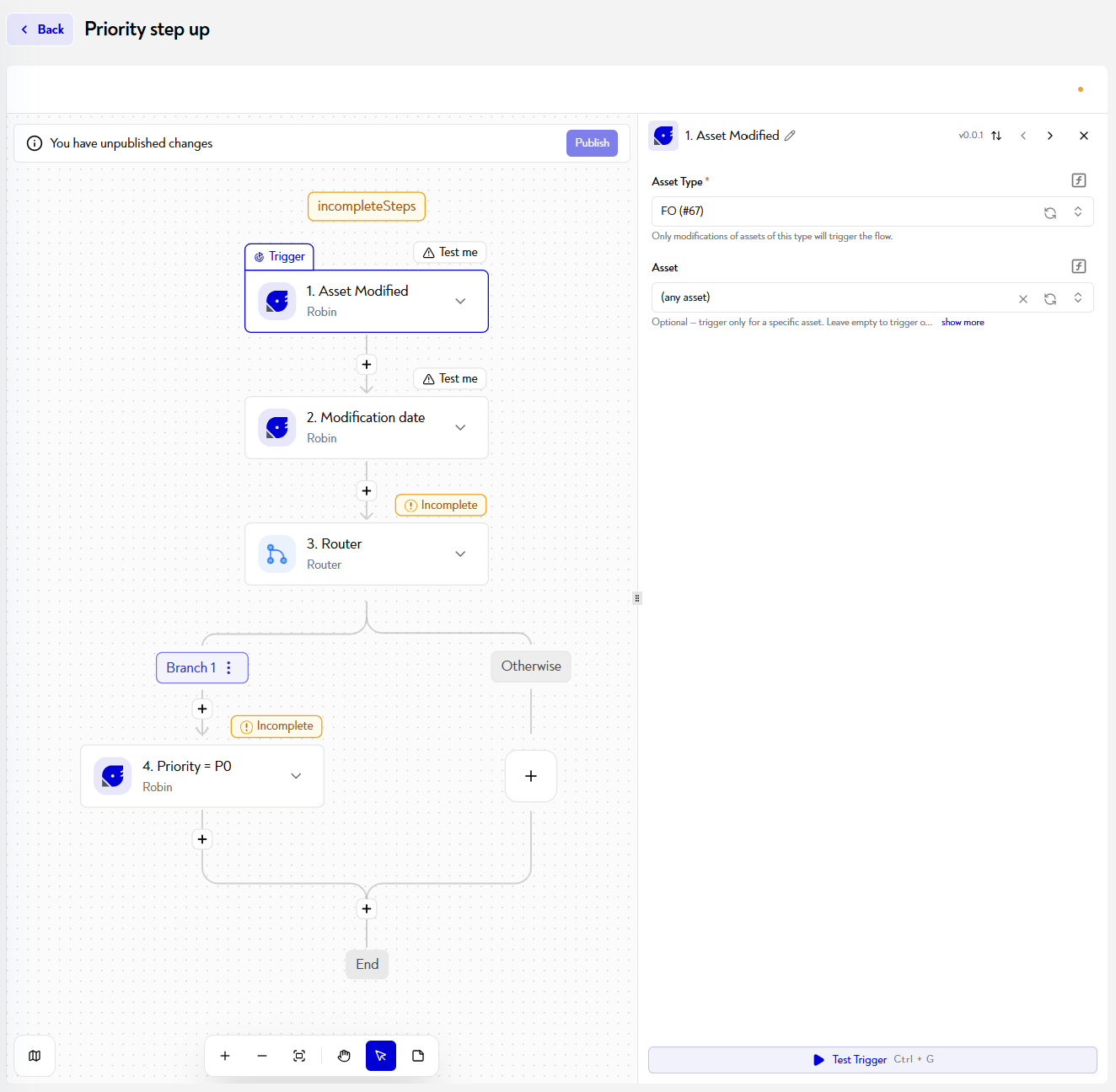
A workflow always follows the same logic:
- a trigger (something happens),
- conditions (optional, to filter cases),
- actions (which Robin does in response).
Workflows are particularly useful for automating state transitions, synchronizing Robin with external systems, or orchestrating processing loops on asset lists.
¶ How do I access the workflow management page?
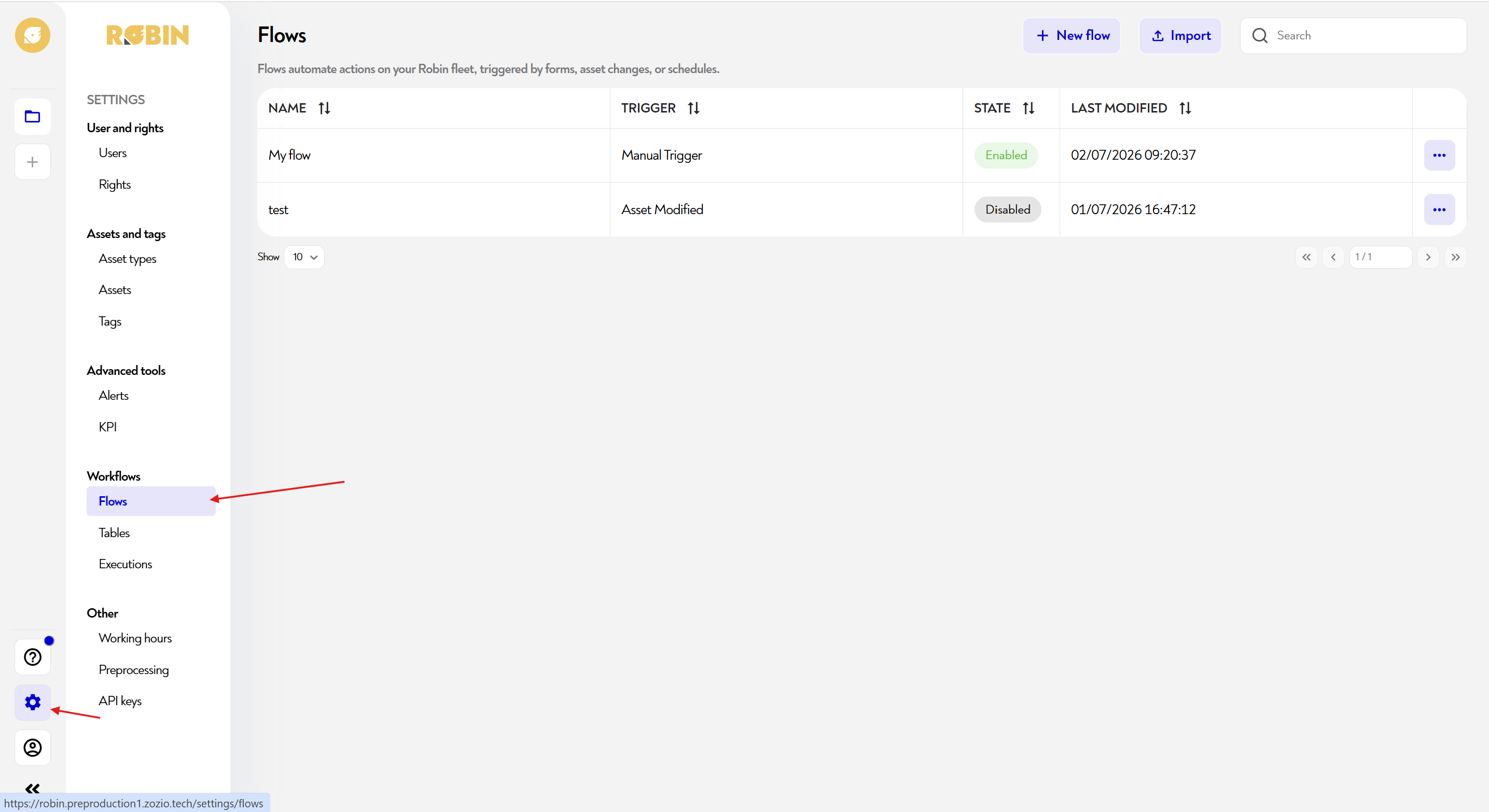
To access the workflow management page, you need to click on the gear-shaped button at the bottom left of the navigation bar and then on “flow” as shown below:
¶ How to add or edit a feed?
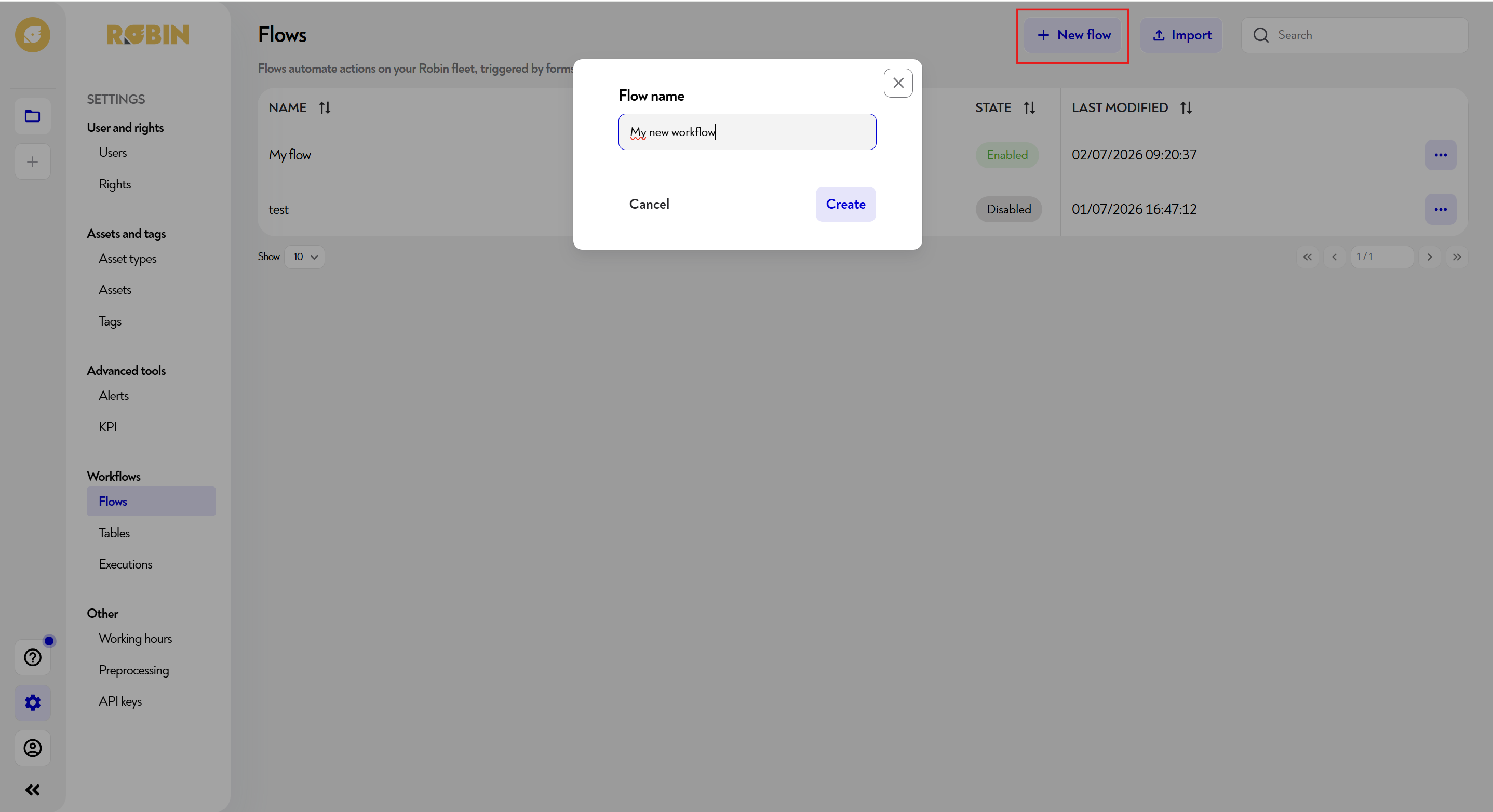
To add a work schedule, click on the blue "New flow" button at the top right of the page or you can import a flow, previously create and export. A pop-up will then appear to give a name to your feed.
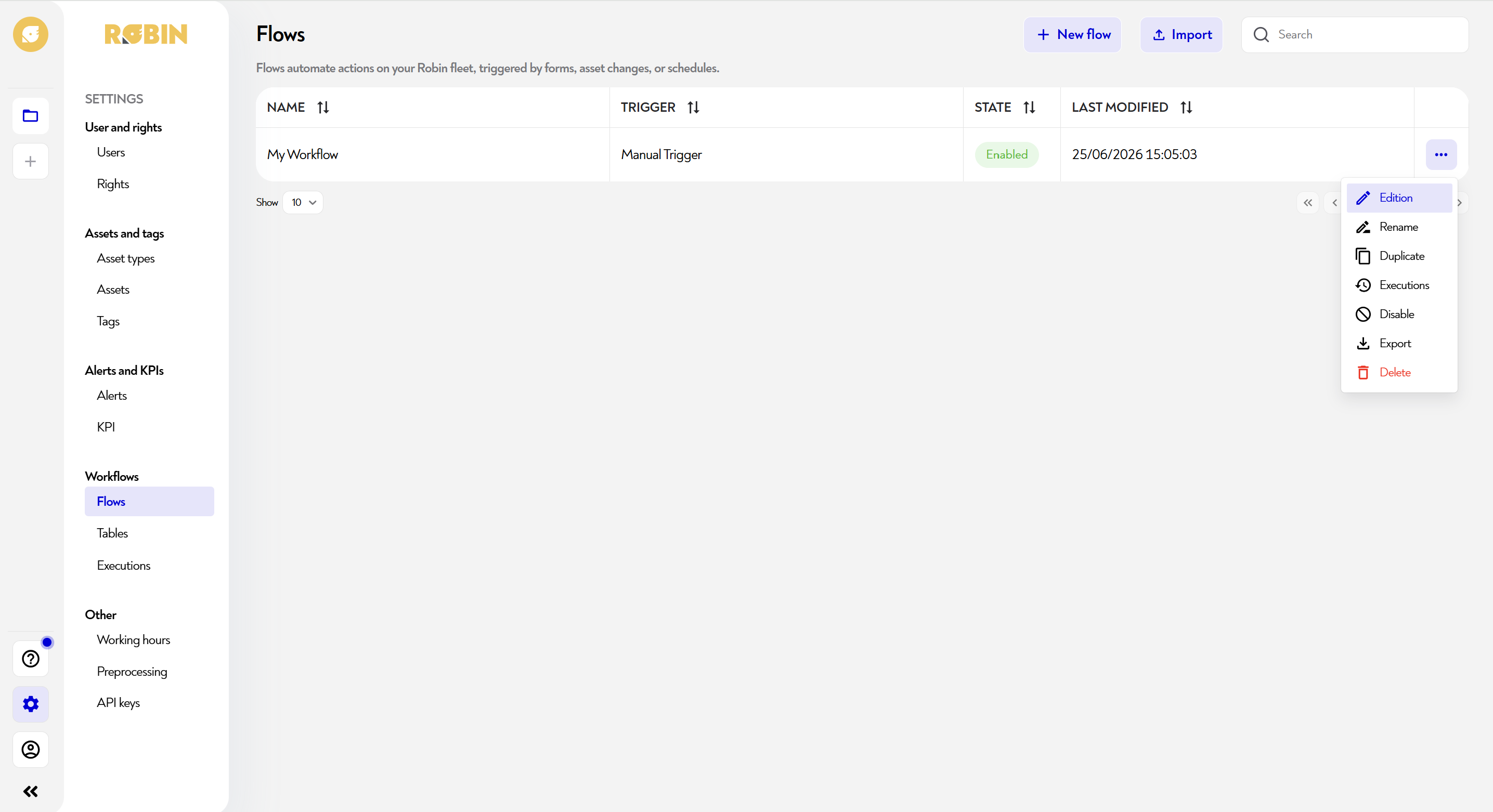
To edit/delete a flow, click on the pencil to the right of the schedule line you want to edit. A modification pop-up appears as below:
Congratulations, you added your first feed! Now you can find out how to configure it 
¶ How to configure a feed?
 Configure a workflow
¶ Other useful information
This page does not seem clear to you or do you need help? Do not hesitate to contact us at support@zozio.tech !